
How to start copy trading
From registration to managing your subscription, with steps and screenshots.
Prepare your account
If you do not have a Bybit account, register and complete the required verification. Otherwise, sign in to your account.
Register on BybitHIFI TRADE partner link. You do not need to register again.Choose a profile
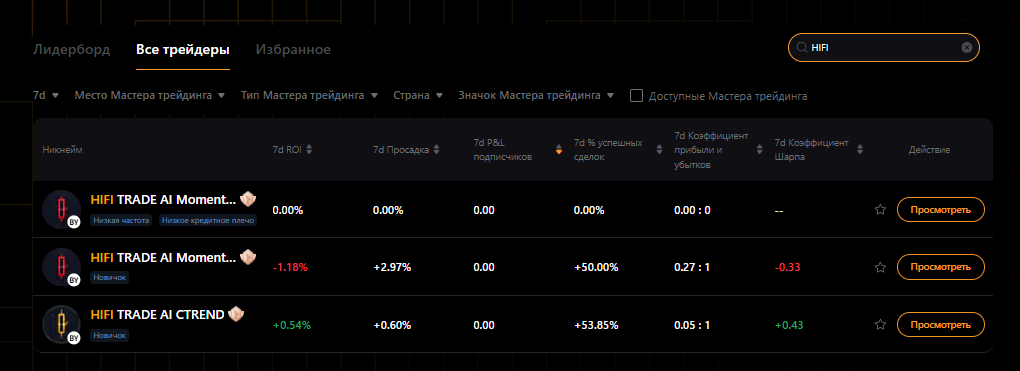
Open your algorithm using its direct link, or search for HIFI on Bybit as shown below.
You will need a USDT balance. Check the Master's profile for the minimum investment.01Open Copy Trading
Open the service directory from the home screen in the Bybit app.
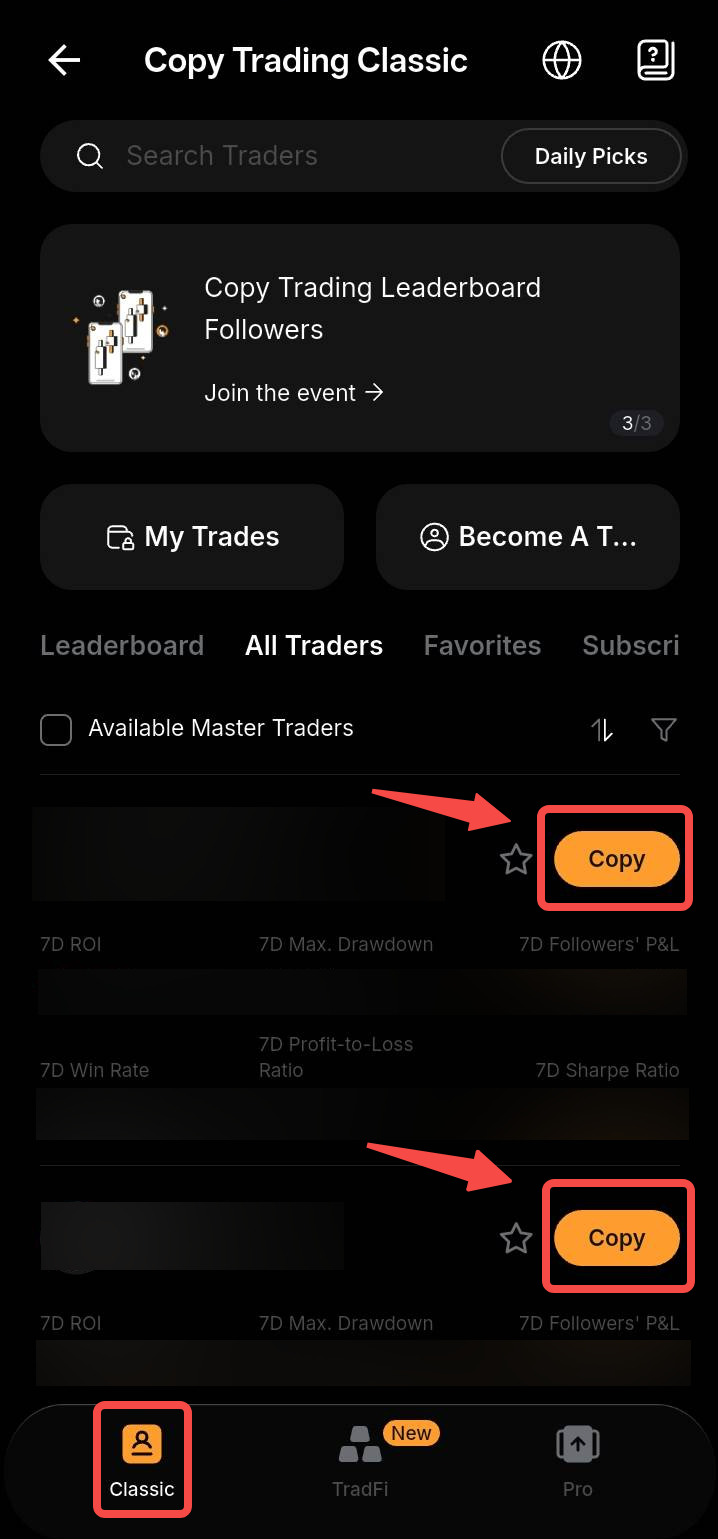
- Select Classic mode.
- On the Bybit website, open Copy Trading from the trading menu.
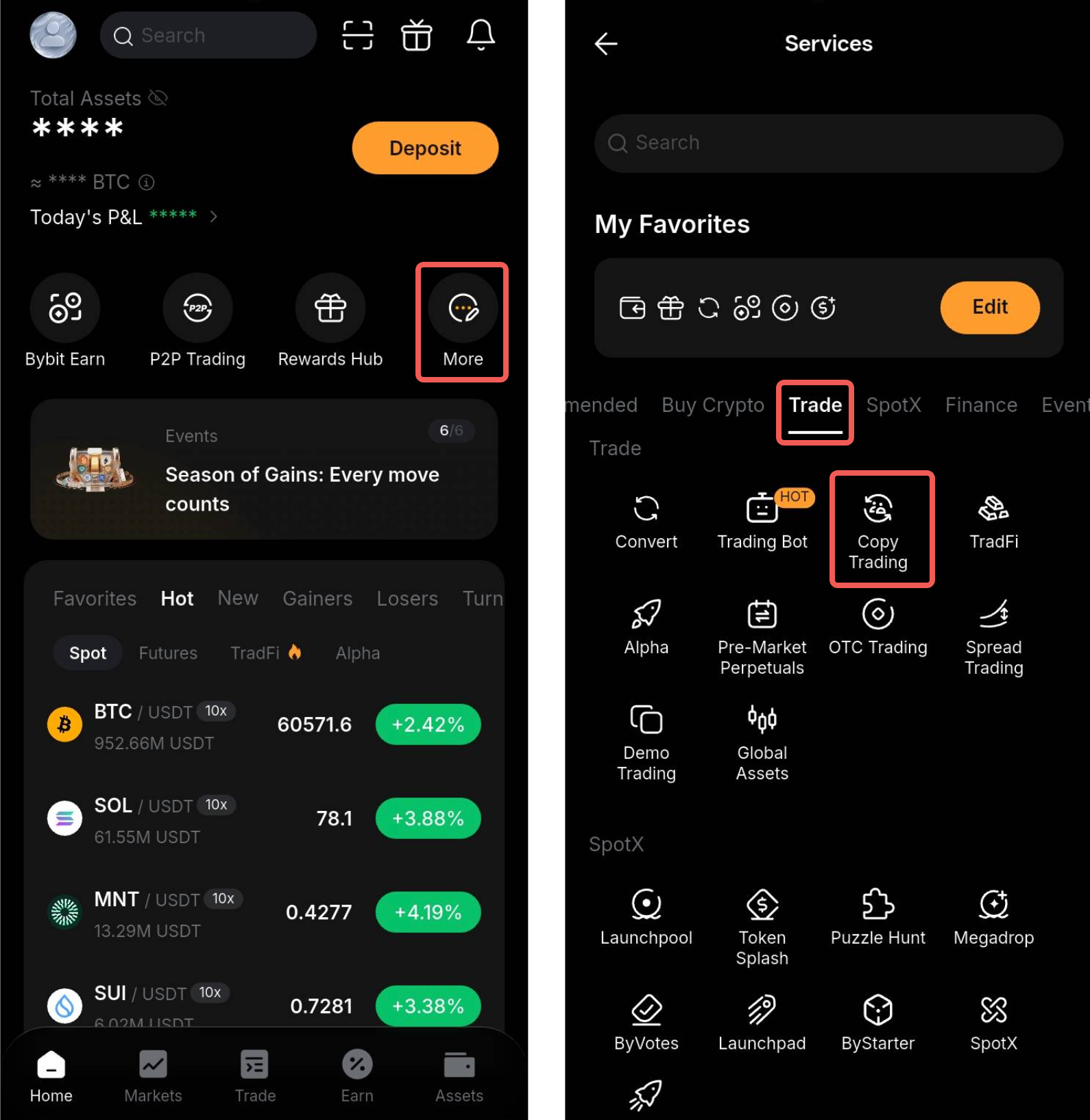
02Find HIFI TRADE
The direct link opens the correct profile. To find it manually, open the Master Trader list.
- Enter HIFI in the search field.
- Choose your algorithm and select View.
- Check the full name.
03Review the Master's profile
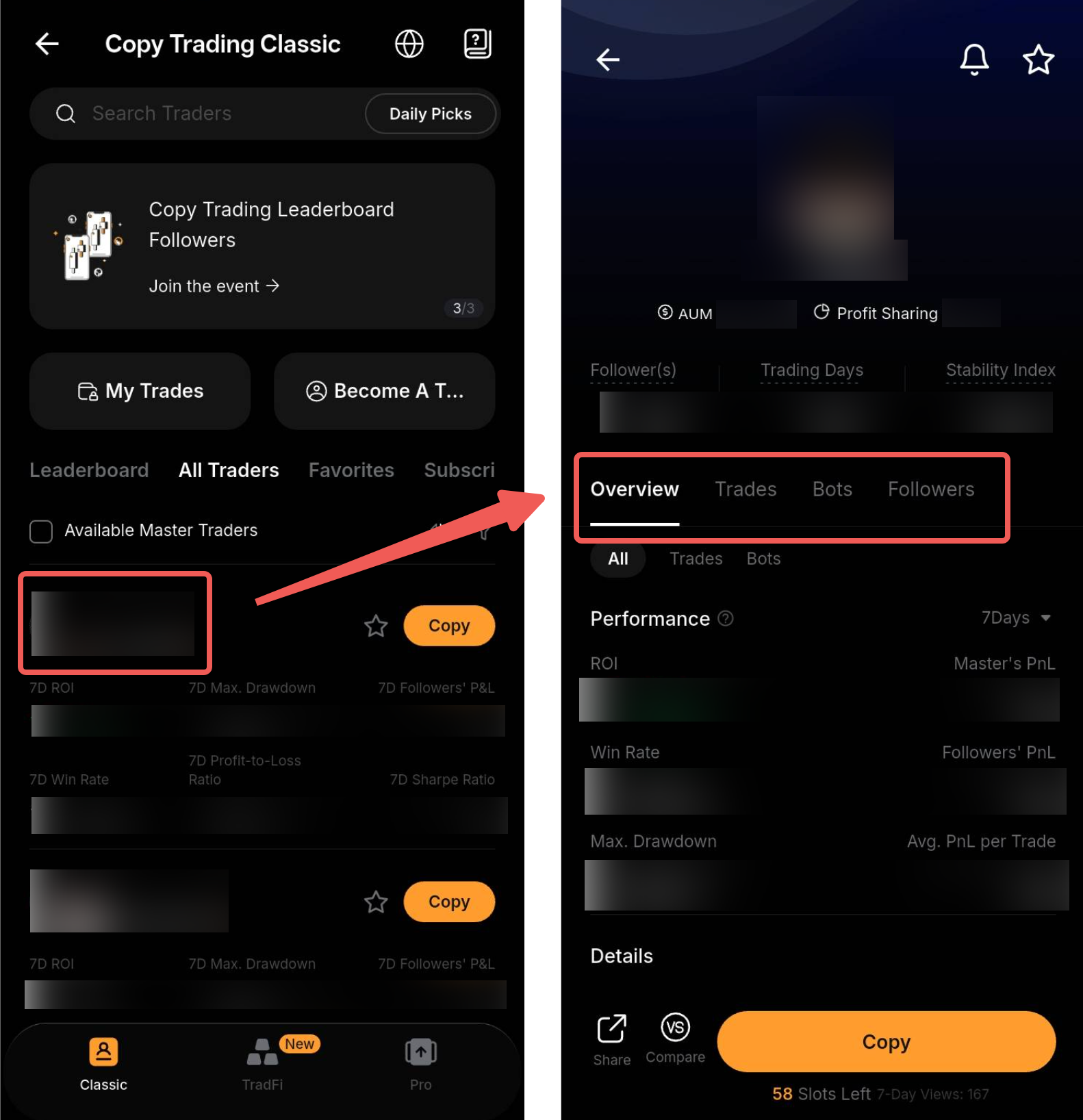
Open the selected profile's overview before connecting.
- Check the full name.
- Review trading days, returns, drawdown and the Master's profit share.
- Check the minimum investment and select Copy.
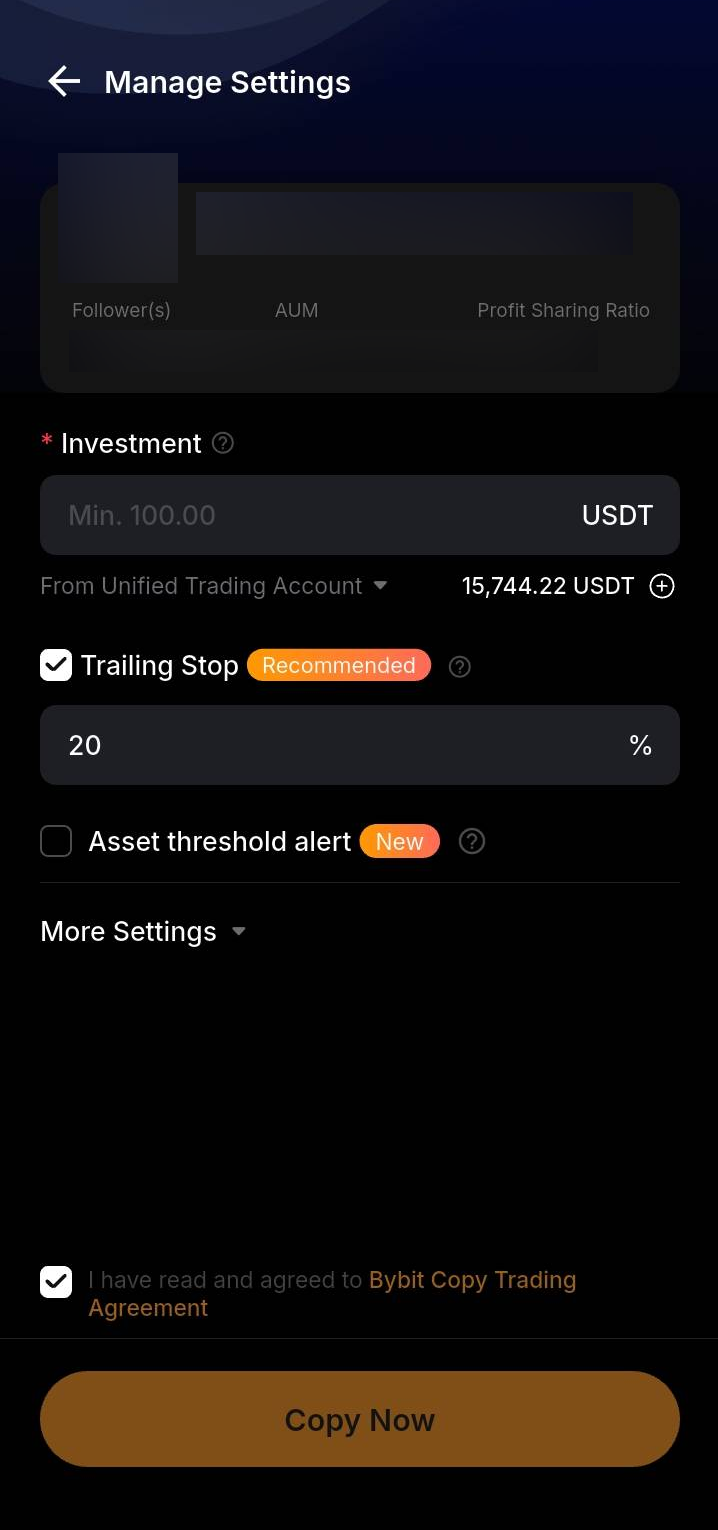
04Set the investment and disable Trailing Stop
In Manage Settings, enter the amount allocated to this Master Trader.
- The Bybit Classic minimum is 100 USDT; a Master Trader may require more.
- Check which account will fund the investment.
- Only allocate an amount you can afford to lose.
Uncheck Trailing Stop. Keep this option disabled when connecting to HIFI TRADE.
05Review additional settings
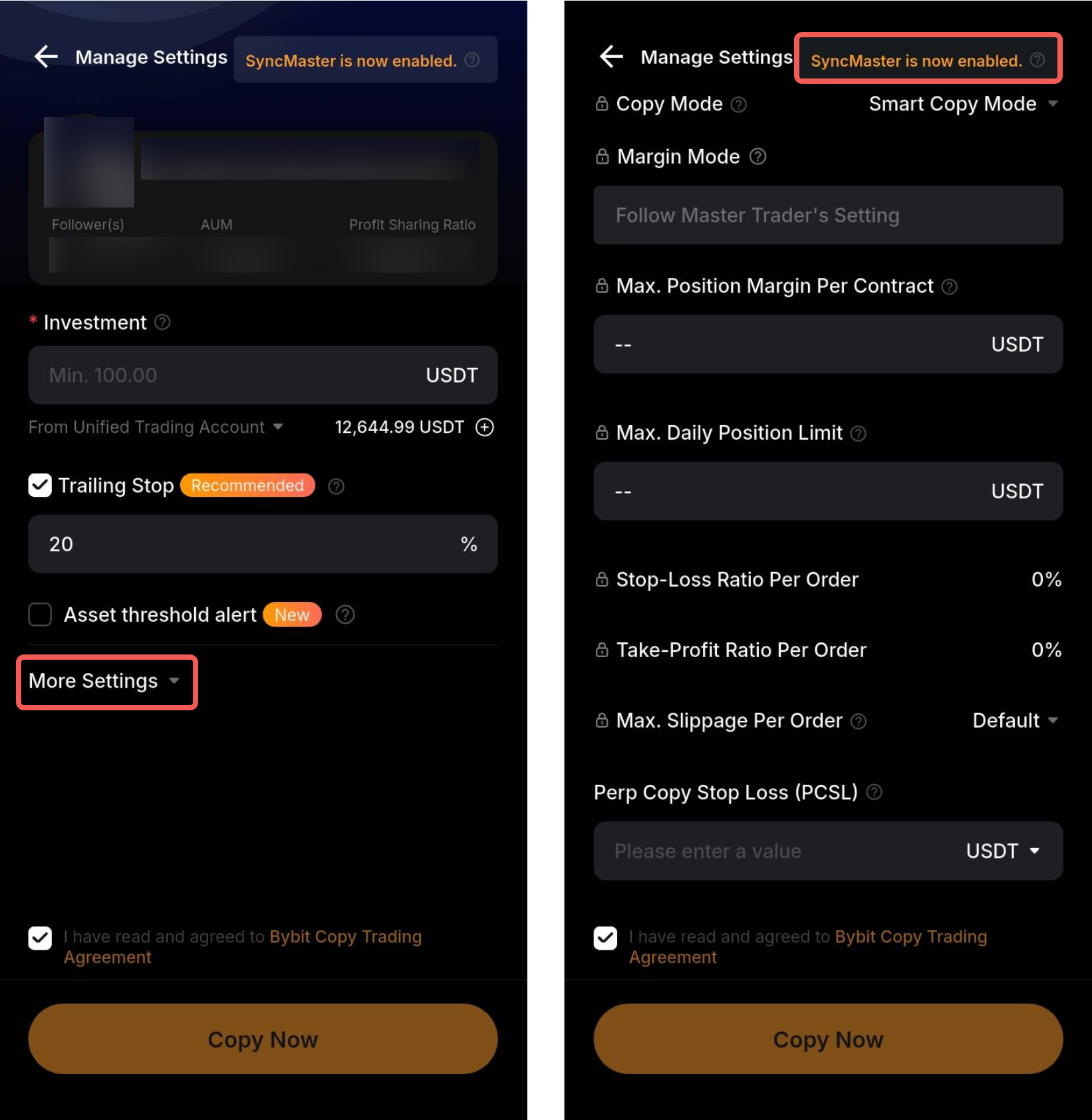
Expand More Settings and review the available parameters.
- Review copy mode, margin, position limits and slippage settings.
- When the Master enforces SyncMaster, some settings cannot be changed.
- To change copy mode after starting, stop copying and connect again.
Screenshot values illustrate the interface, not recommended settings. Do not change settings you do not understand.
06Confirm the connection
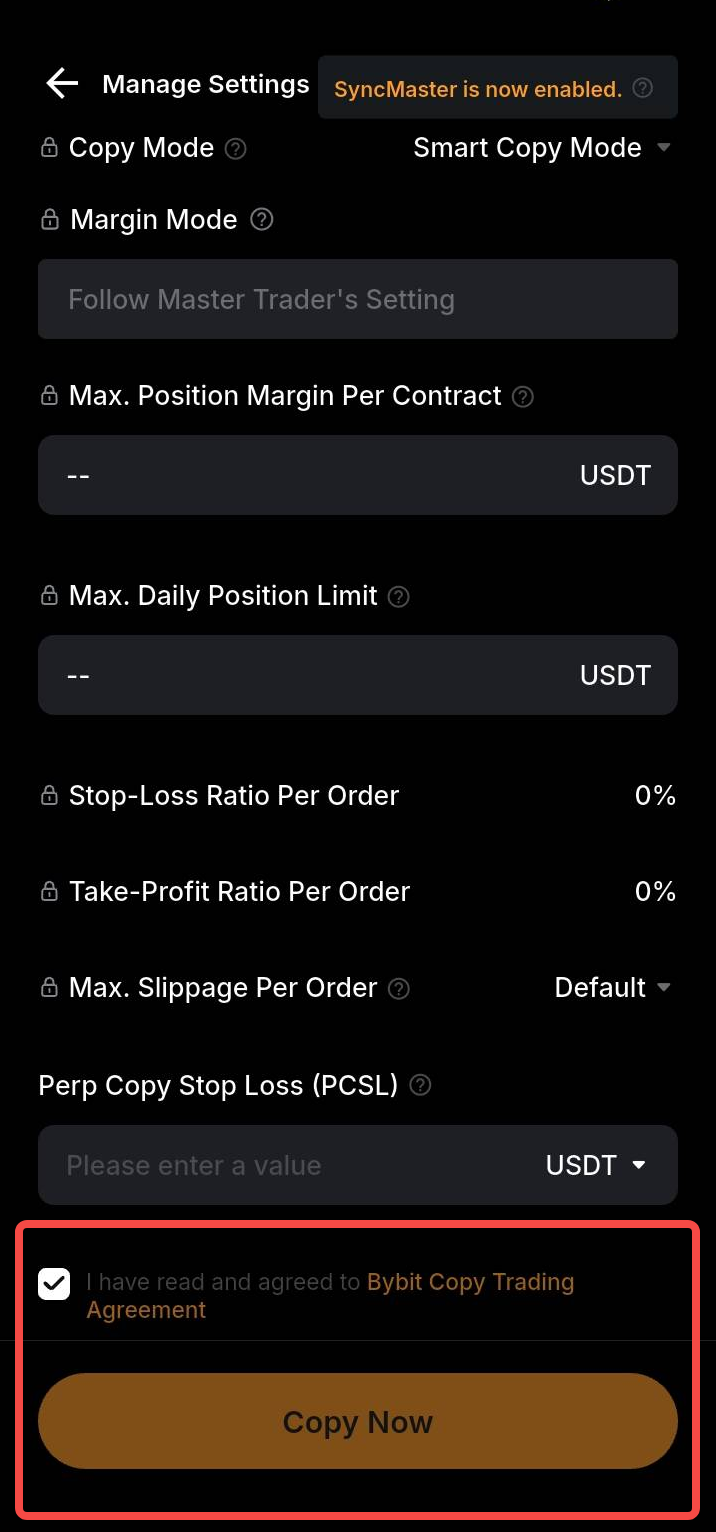
Check the profile, investment and limits once more.
- Accept the Bybit Copy Trading agreement.
- Select Copy Now.
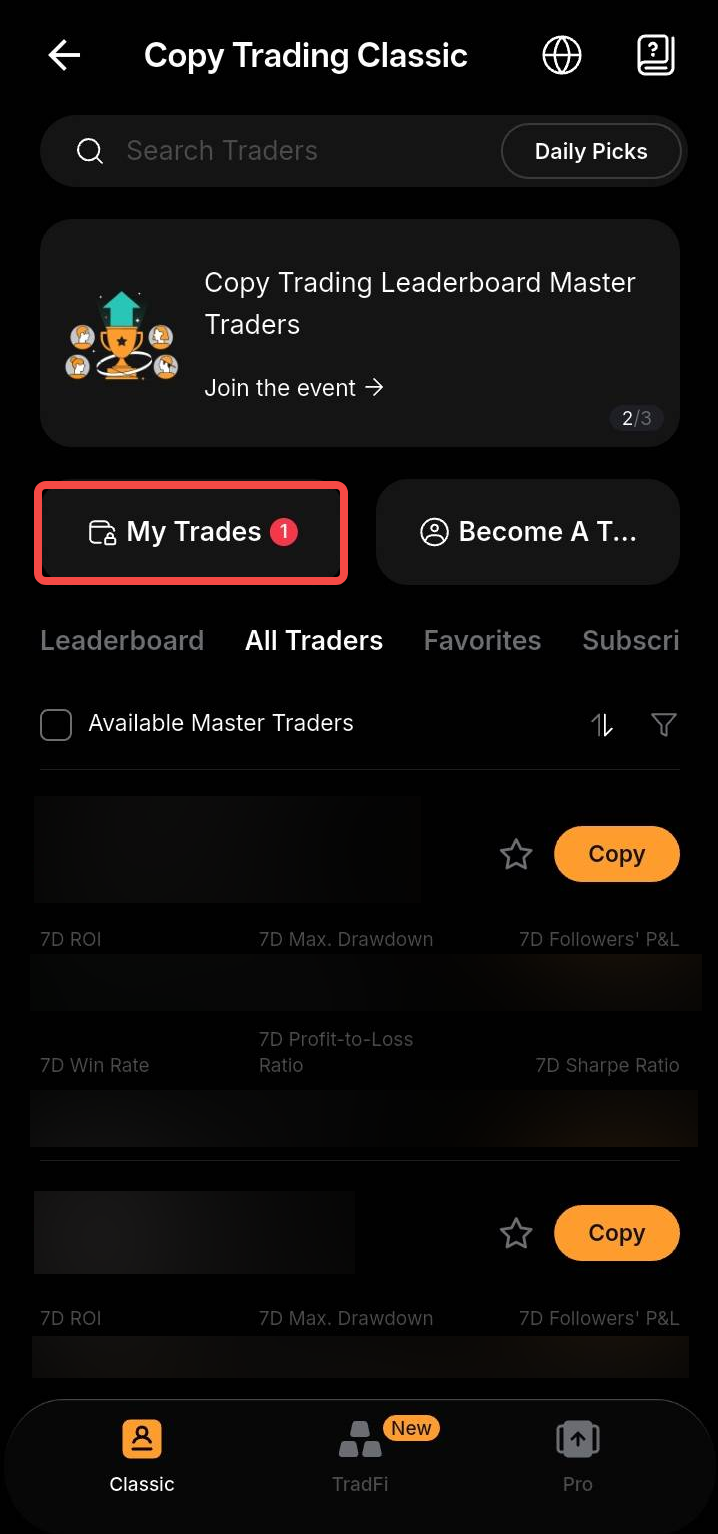
- Open My Trades and check the subscription status.
Copying starts with the Master's new trades after you connect. Previously opened positions are not copied automatically.
Before confirming
- The correct profile is selected
- The investment and funding account are correct
- You understand the limits and Master's profit share
- Trailing Stop is disabled
After connecting
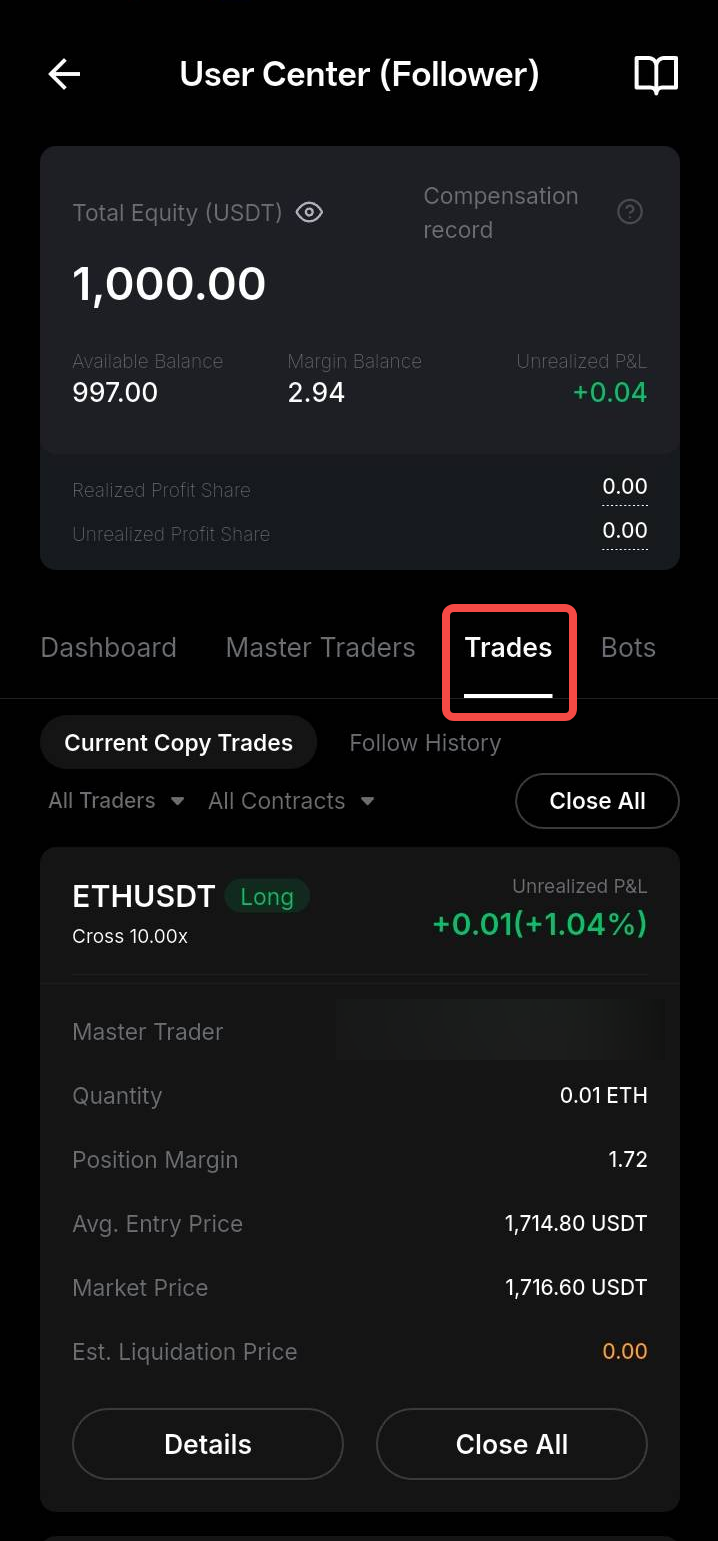
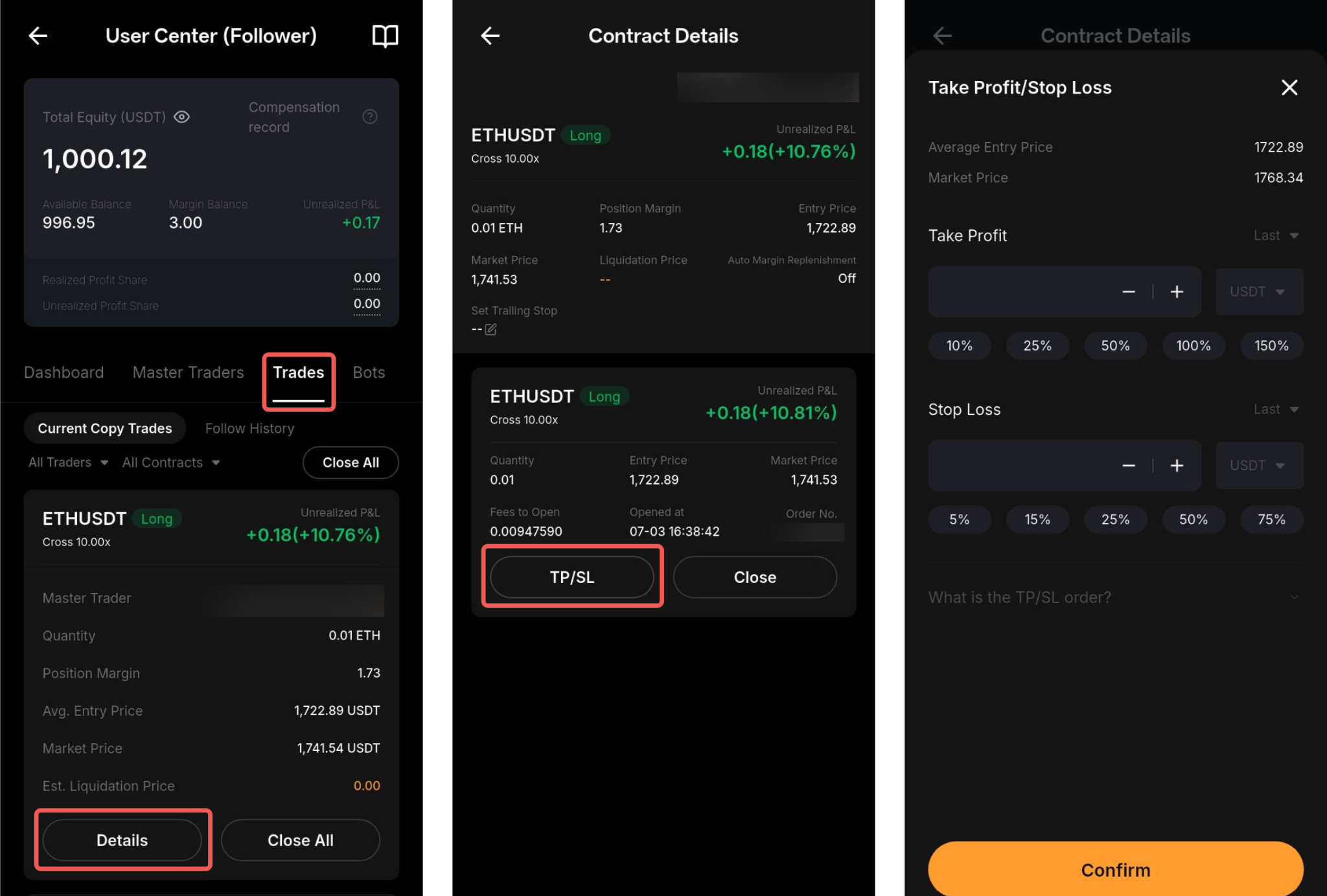
01View open positions
Position details show the direction, margin, entry price and current P&L.
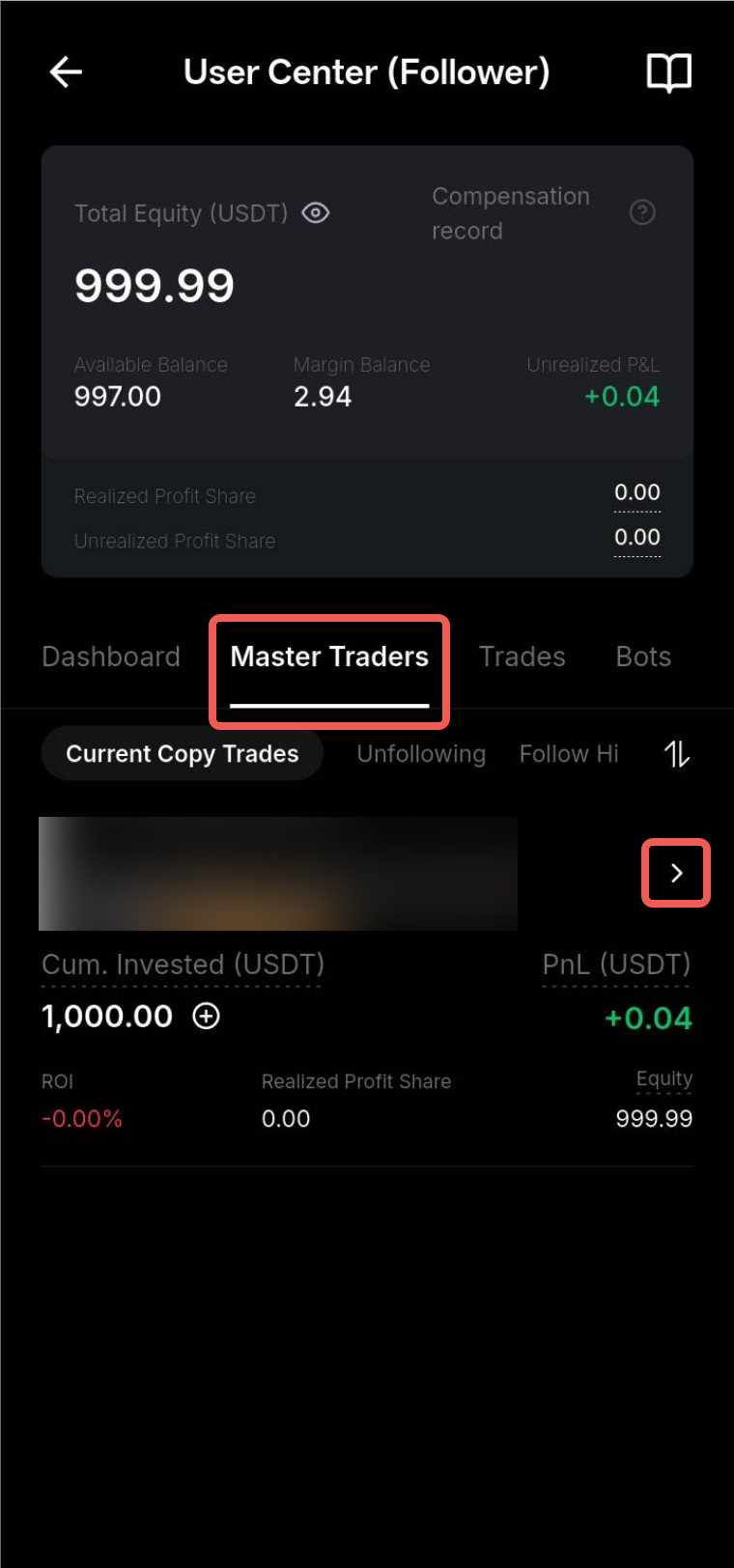
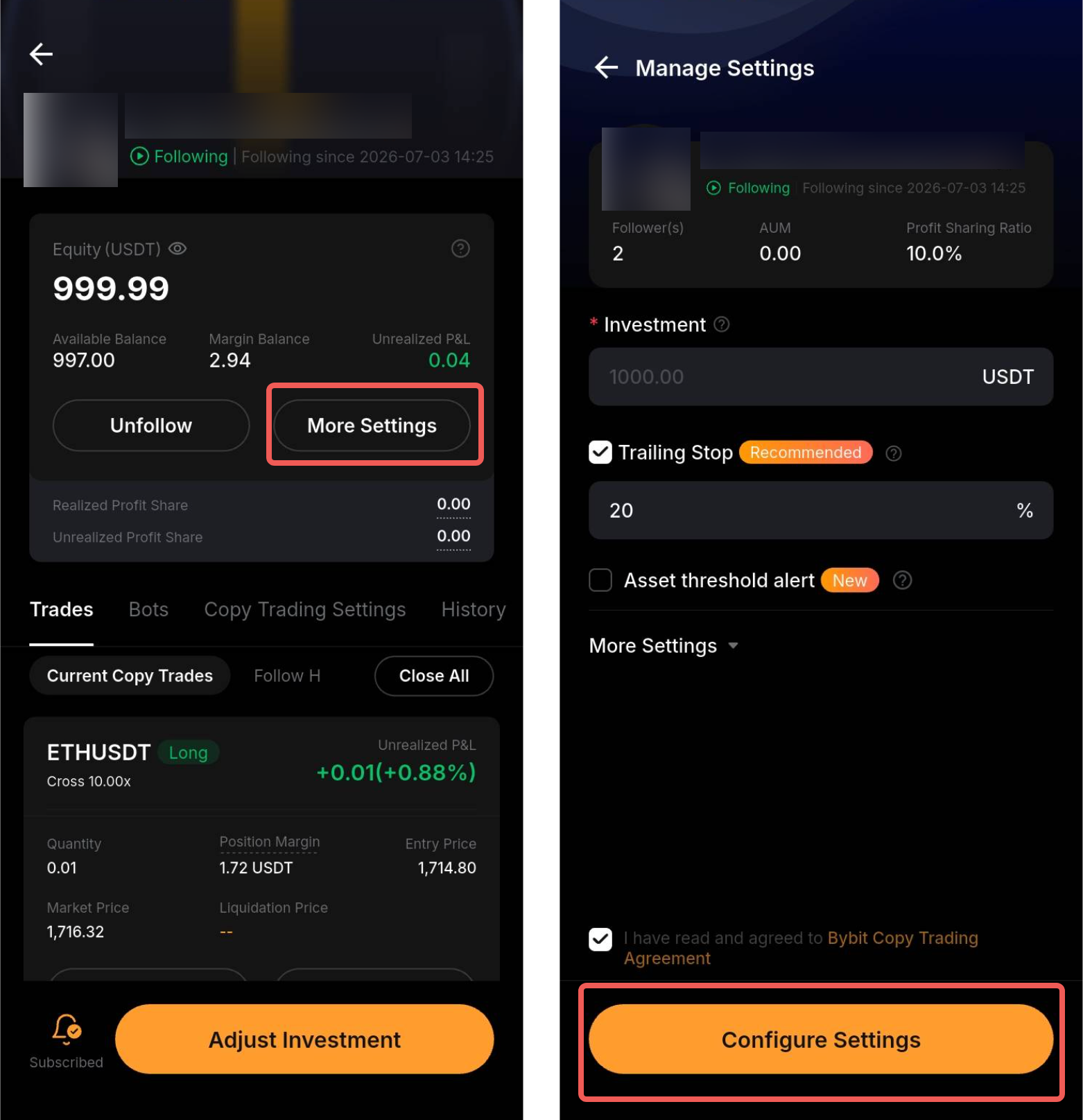
02Change copy settings
Change only the available parameters. Enforced SyncMaster locks some settings.
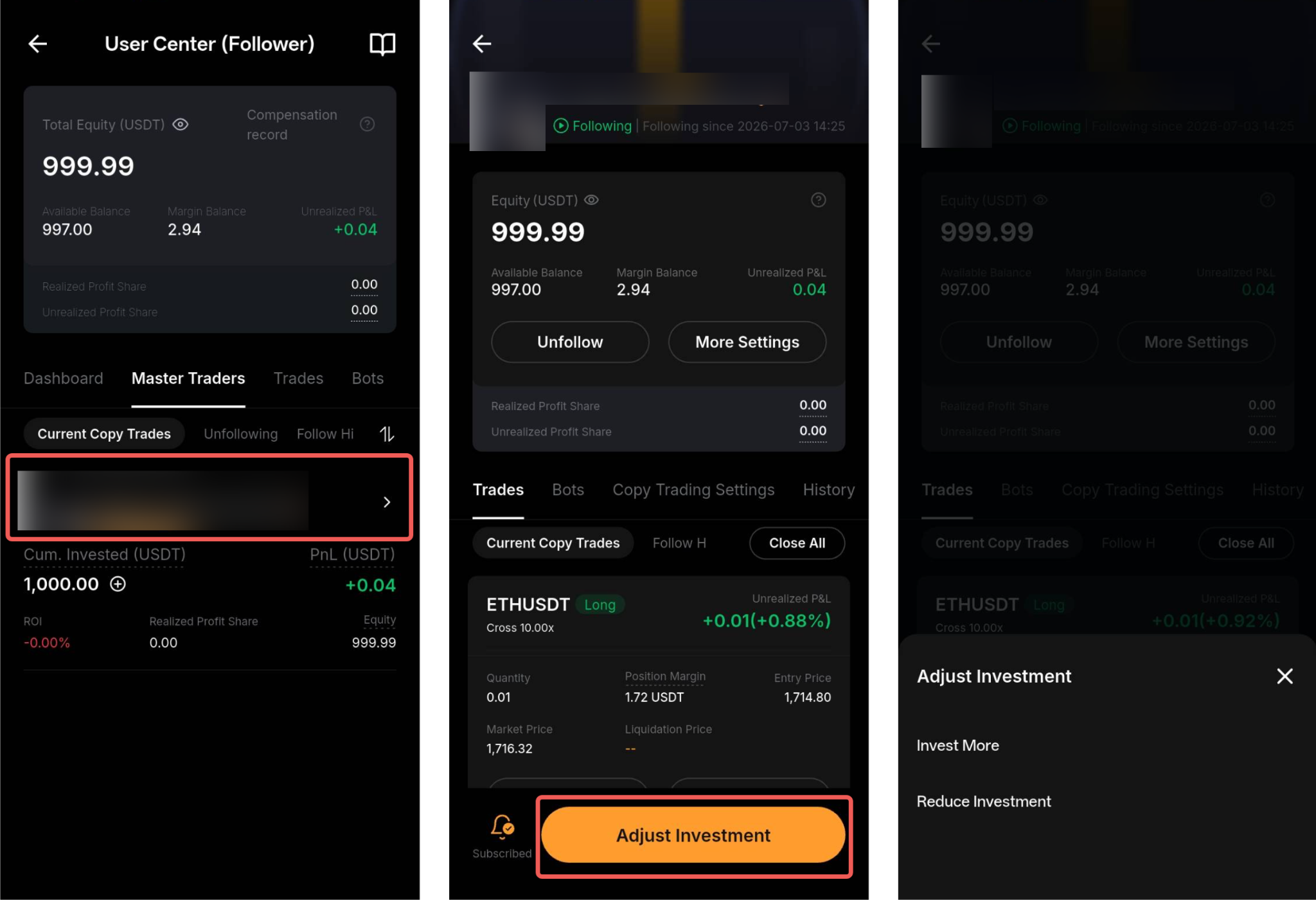
03Adjust the investment
Choose to increase or decrease the investment. Before confirming, check the available amount and its effect on open positions.
04Set TP/SL for a position
A manual exit can change your result relative to the Master. Check the selected trigger price.
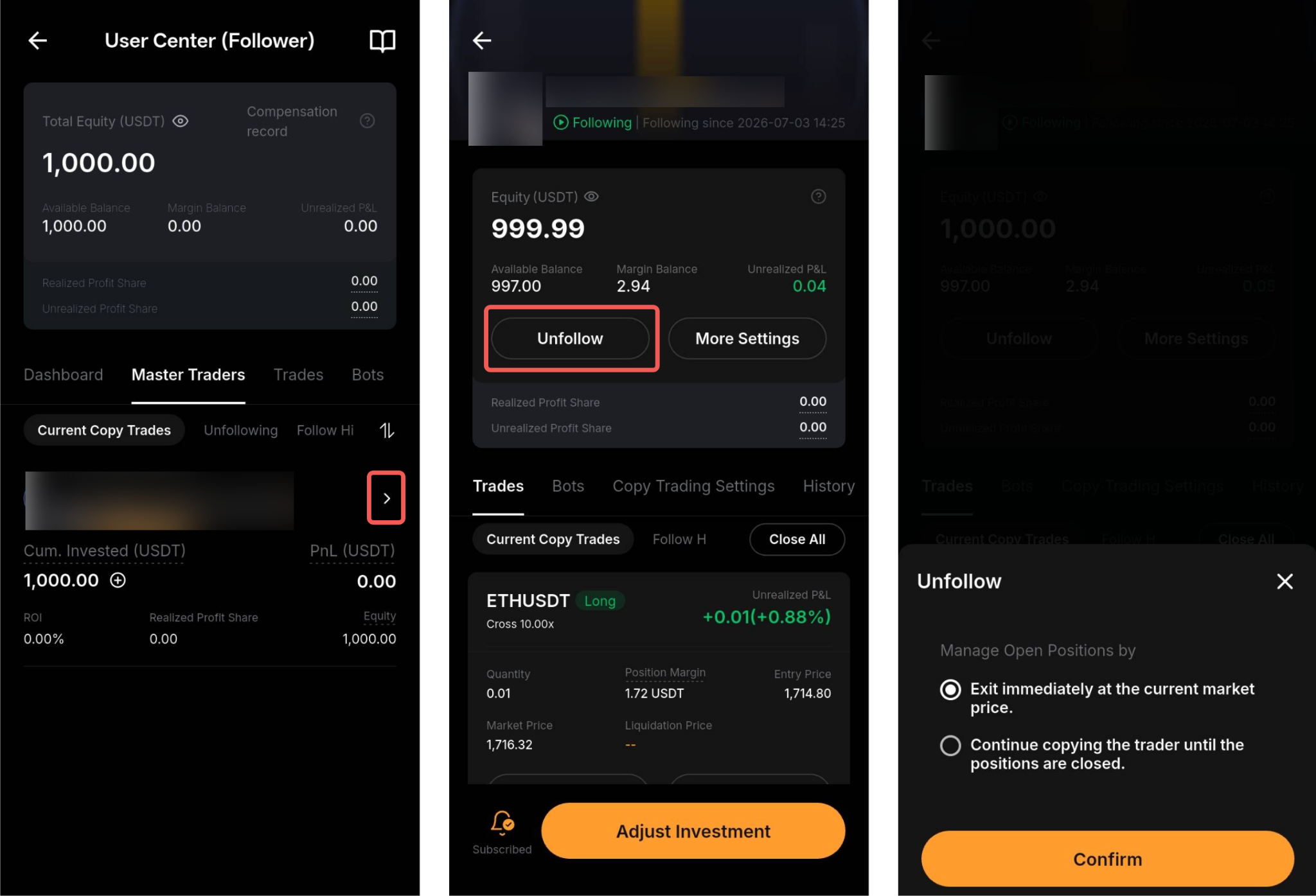
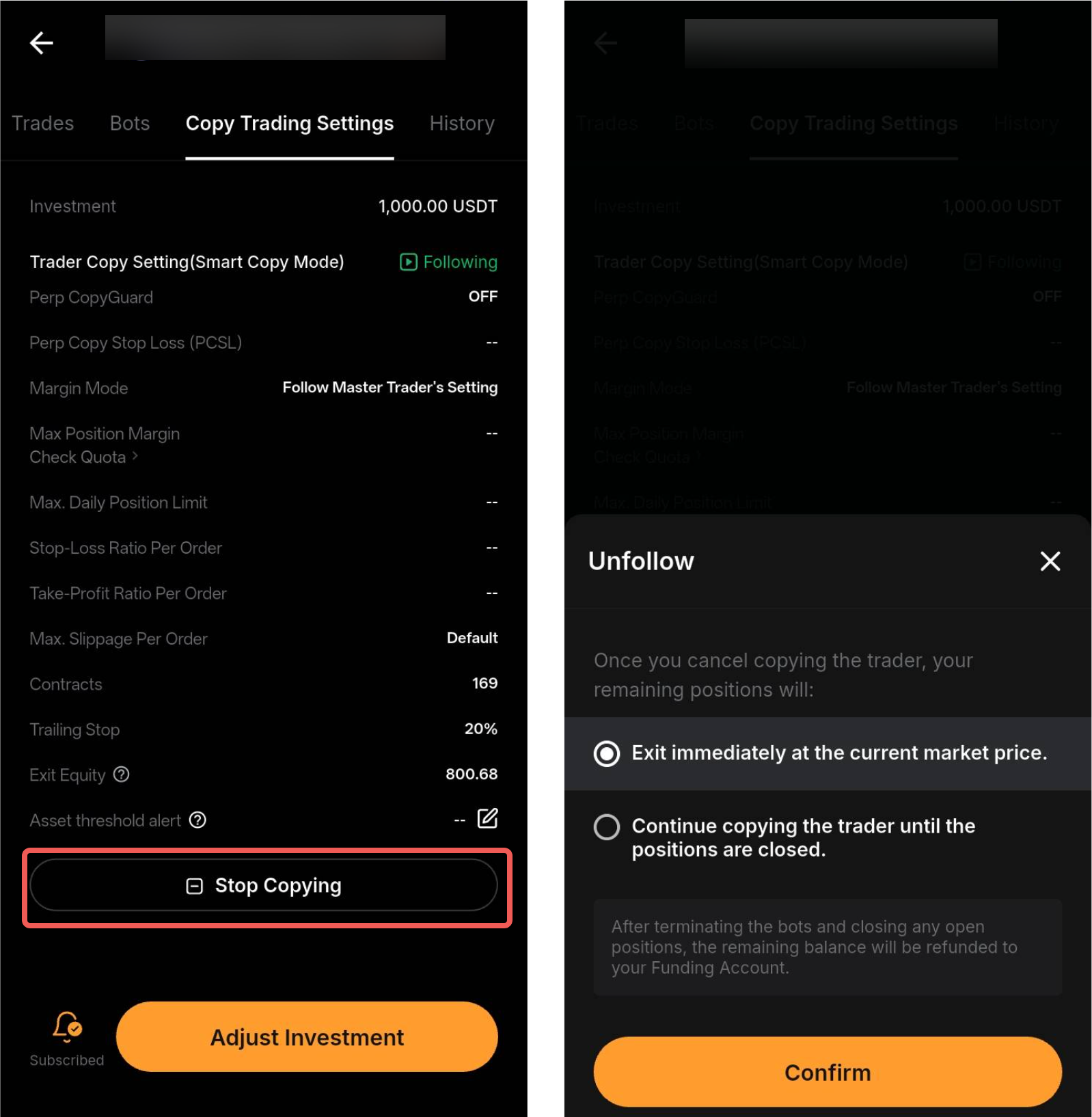
05Stop copying
If positions remain open, choose to close them at market price or wait for the Master to close them. New trades will no longer be copied.
After copying stops and all positions close, remaining funds return to the Funding Account.
Screenshots show the Bybit interface; app and website layouts may differ. Copy trading involves the risk of capital loss, and follower results can differ from the Master's.